CoWork OS: the free, open-source AI app for real work.
Turn a request into a document, spreadsheet, presentation, website or completed task. CoWork OS brings AI tools and your files into one desktop workspace, with the model access and approval controls you choose.
npm install -g cowork-os@latest && cowork-osDownload CoWork OS for macOS or Windows. The app is free under the MIT license; cloud model usage and subscriptions are billed by your provider. Local models use your own hardware. Compare providers and costs.
- Read notes and metricsq3-notes.md · metrics.csv
- Draft a 10-slide outlineStory: growth → risks → asks
- Build charts from metrics4 charts
- Export presentationQ3-board-review.pptx
Share the deck in #leadership on Slack
Sends a message on your behalf
Q3-board-review.pptx
10 slides · ready to review
Works with the models
and channels you use
Product preview
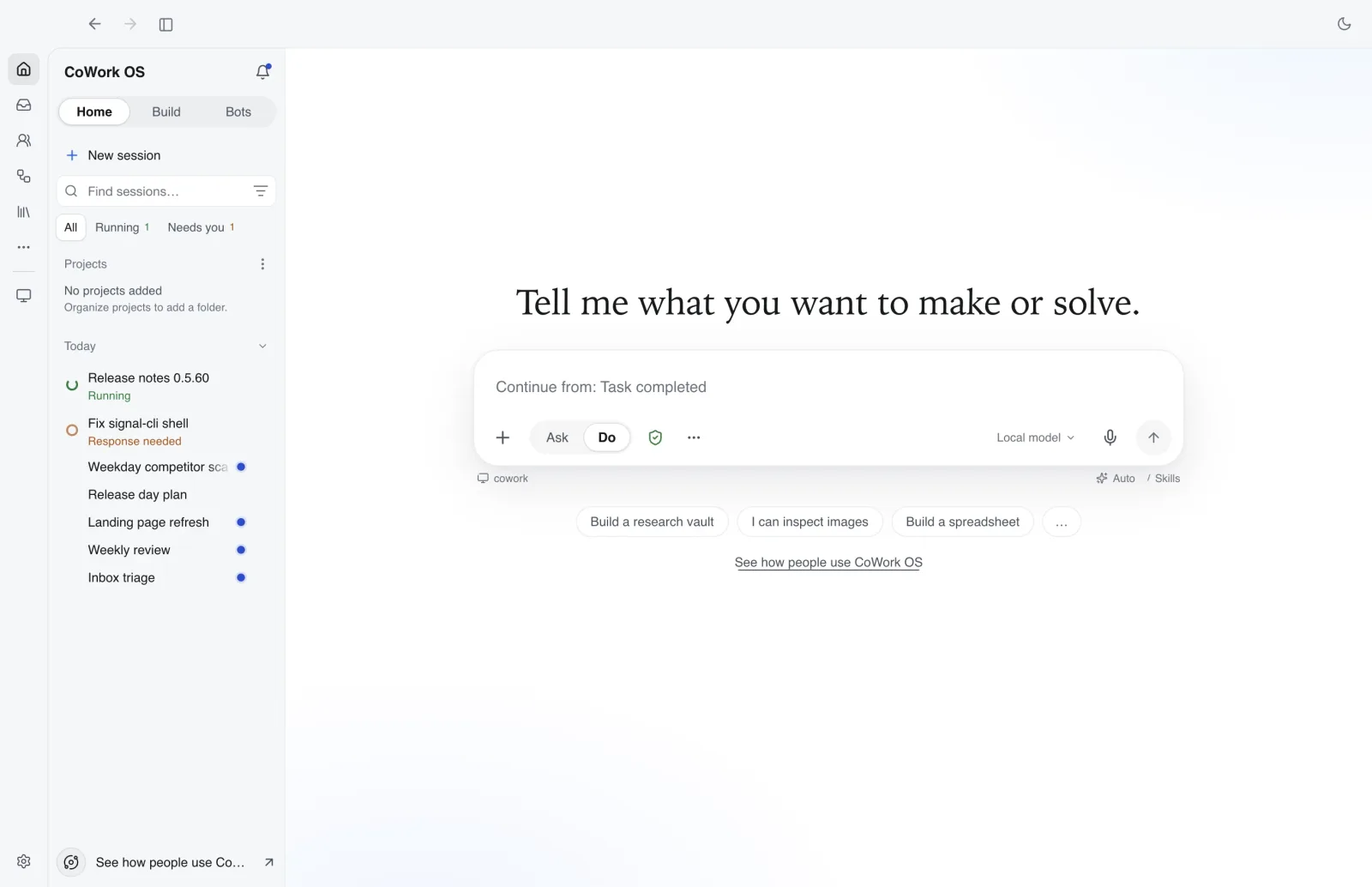
Start from the app, then move into real work
The main workspace keeps suggested workflows, active context, recent runs, and the task composer in view.
What you can make
From a request to a usable result
Draft a report from your notes, organize data in a spreadsheet, build a presentation, research a topic or work on a website. Open the result in the workspace, review it and ask for a revision.
Summarize these 12 interview transcripts into themes with quotes
Research memo
Customer interview synthesis
12 interviews · 4 themes · 18 quotes
1. Setup takes too long
“We spent two weeks wiring tools together before anyone did real work.”
2. Trust needs visibility
How it works
From request to controlled execution
A clear, approval-gated execution loop from request to output.
- 1
Step 1
Describe the outcome
Tell CoWork OS what you want. It creates an execution plan automatically.
Learn more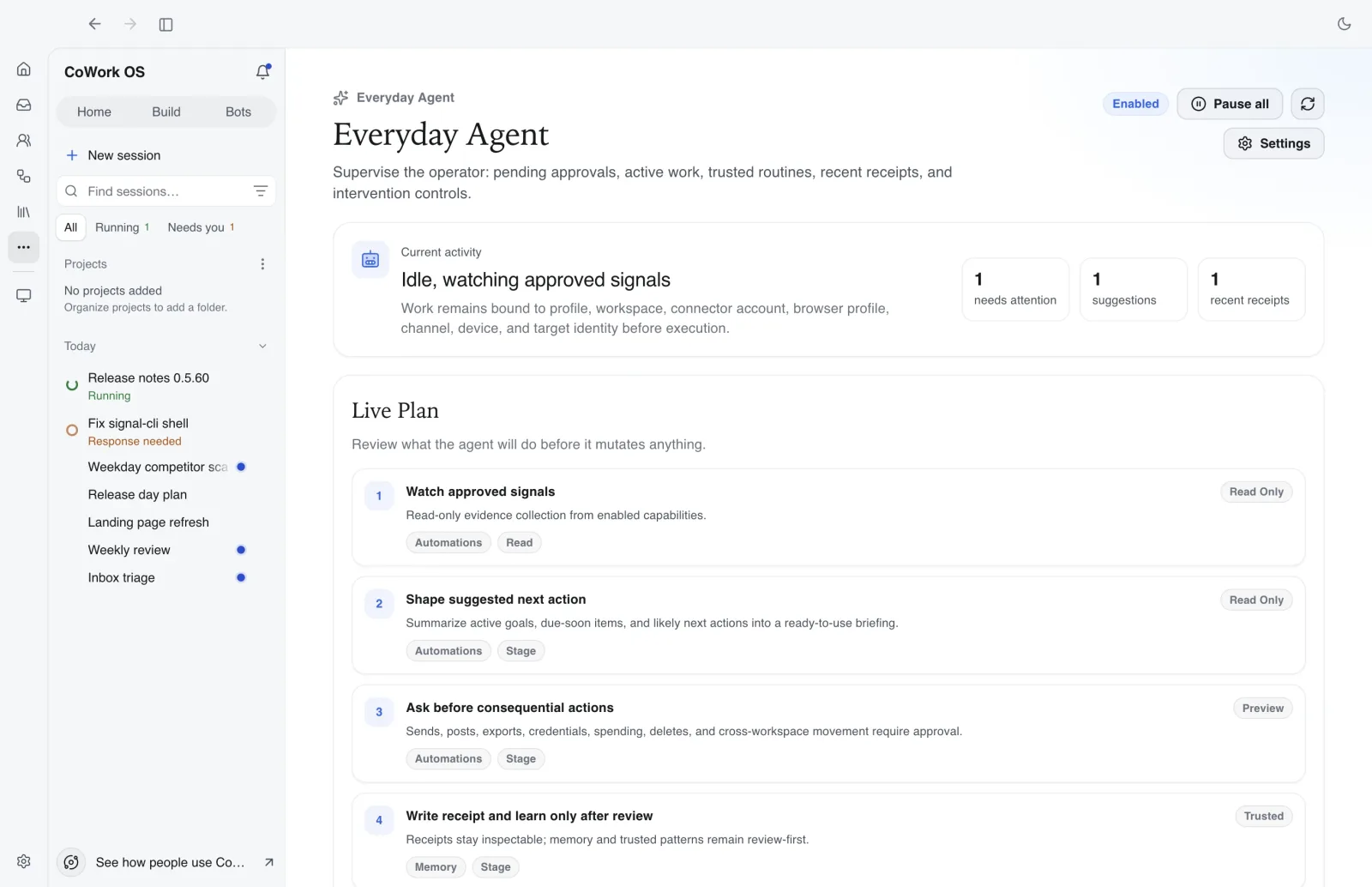
- 2
Step 2
Let it plan and execute
Choose a mode — Autonomous, Collaborative, Multi-LLM, or Think With Me — and let the agent run.
Learn more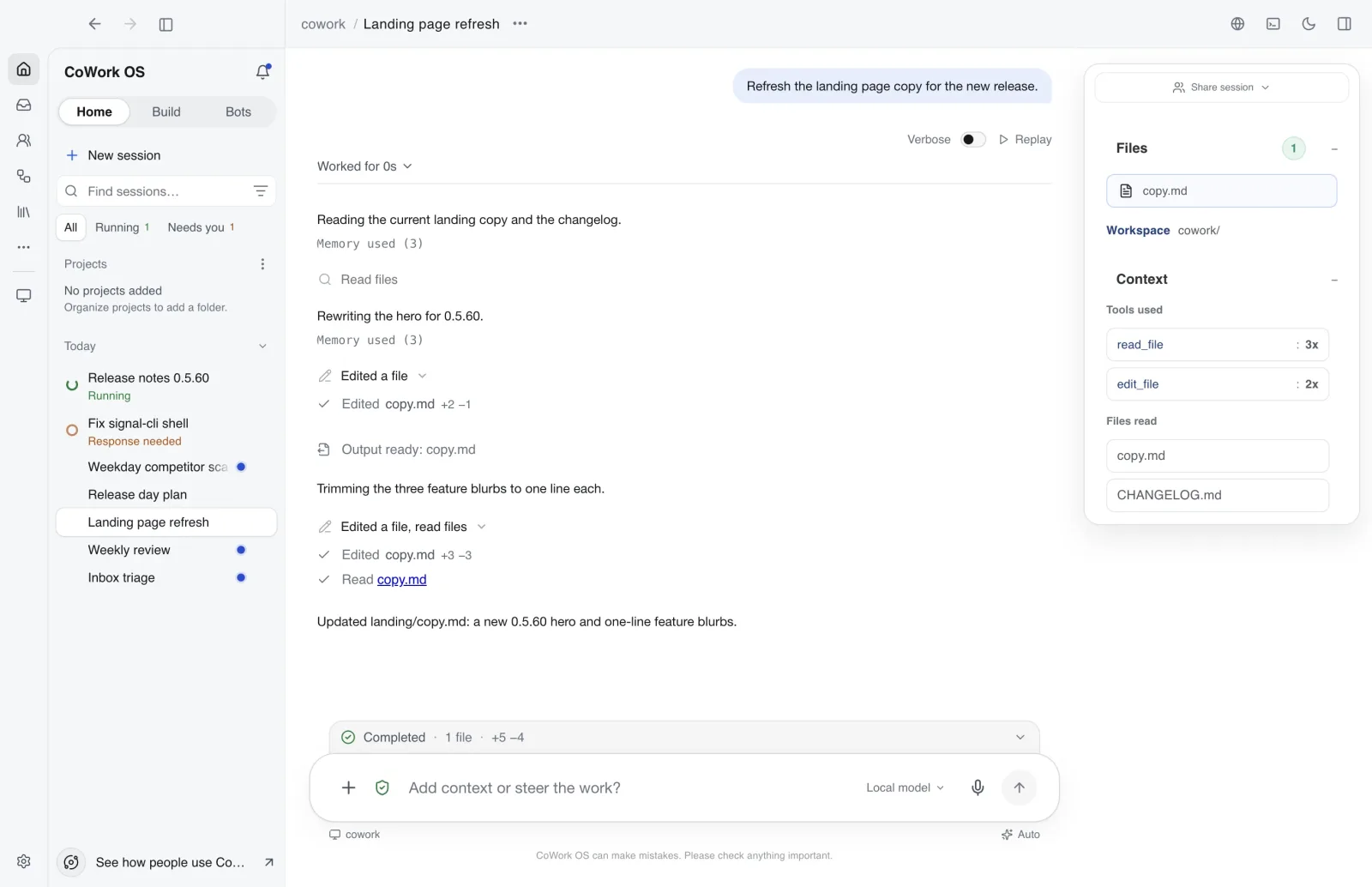
- 3
Step 3
Watch the timeline and outputs
Track timeline events, shell output, generated files, and agent decisions in real time.
Learn more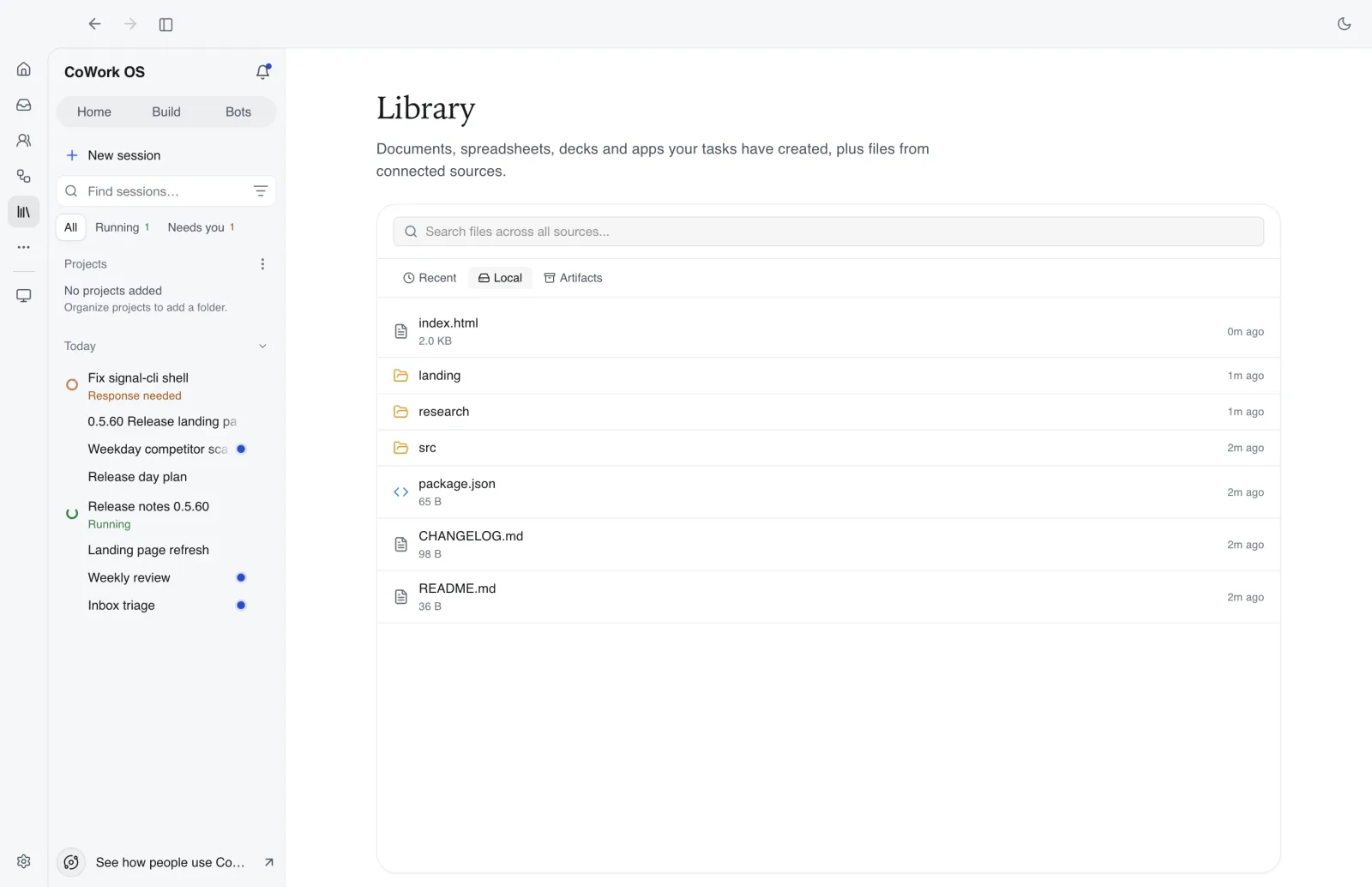
- 4
Step 4
Approve risky actions only
Destructive actions and spending remain explicitly approval-gated by design.
Learn more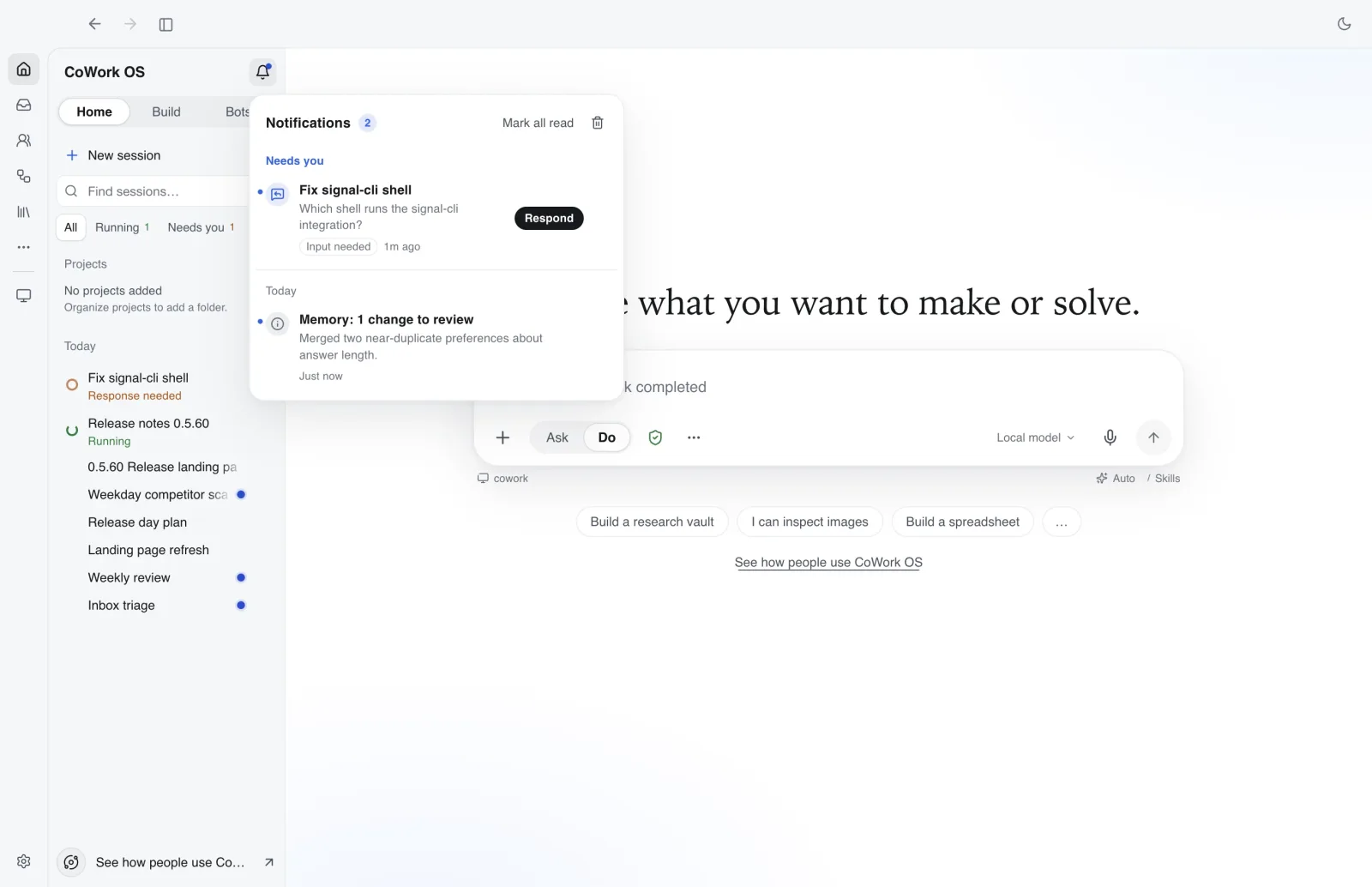
Everyday Agent keeps active goals, plans, and priority queues visible.
Open harness underneath
Keep the workspace. Change the model route.
CoWork OS keeps tools, skills, memory, approvals, agents, artifacts, automations, and task history in one harness. Choose among supported model sources without rebuilding the rest of your workflow.
CoWork OS is free and open source. Providers, gateways, connected services, and account plans may charge separately and apply their own eligibility and usage rules.
Provider APIs
Bring keys for direct model access and provider-controlled billing.
Stays the same on every route
- Tools
- Skills
- Memory
- Approvals
- Agents
- Artifacts
- Automations
- Task history
Why CoWork OS
Why people install CoWork OS
Built for real agent workflows — not experiments. Run agents locally with full visibility and control.
Run real agent workflows
Desktop, headless, remote, and channel-based execution. Four per-task modes: Autonomous, Collaborative, Multi-LLM, and Think With Me.
Stay in control
Approval-gated destructive actions, spending controls, and sandbox isolation, with clear boundaries for local and configured cloud services.
See everything
Timeline events, outputs, files, decisions, and operator visibility — all in one place. No blind spots.
Features
What makes CoWork OS different
Production differentiators from the README and docs, focused on reliability and operator visibility.
Mission Control
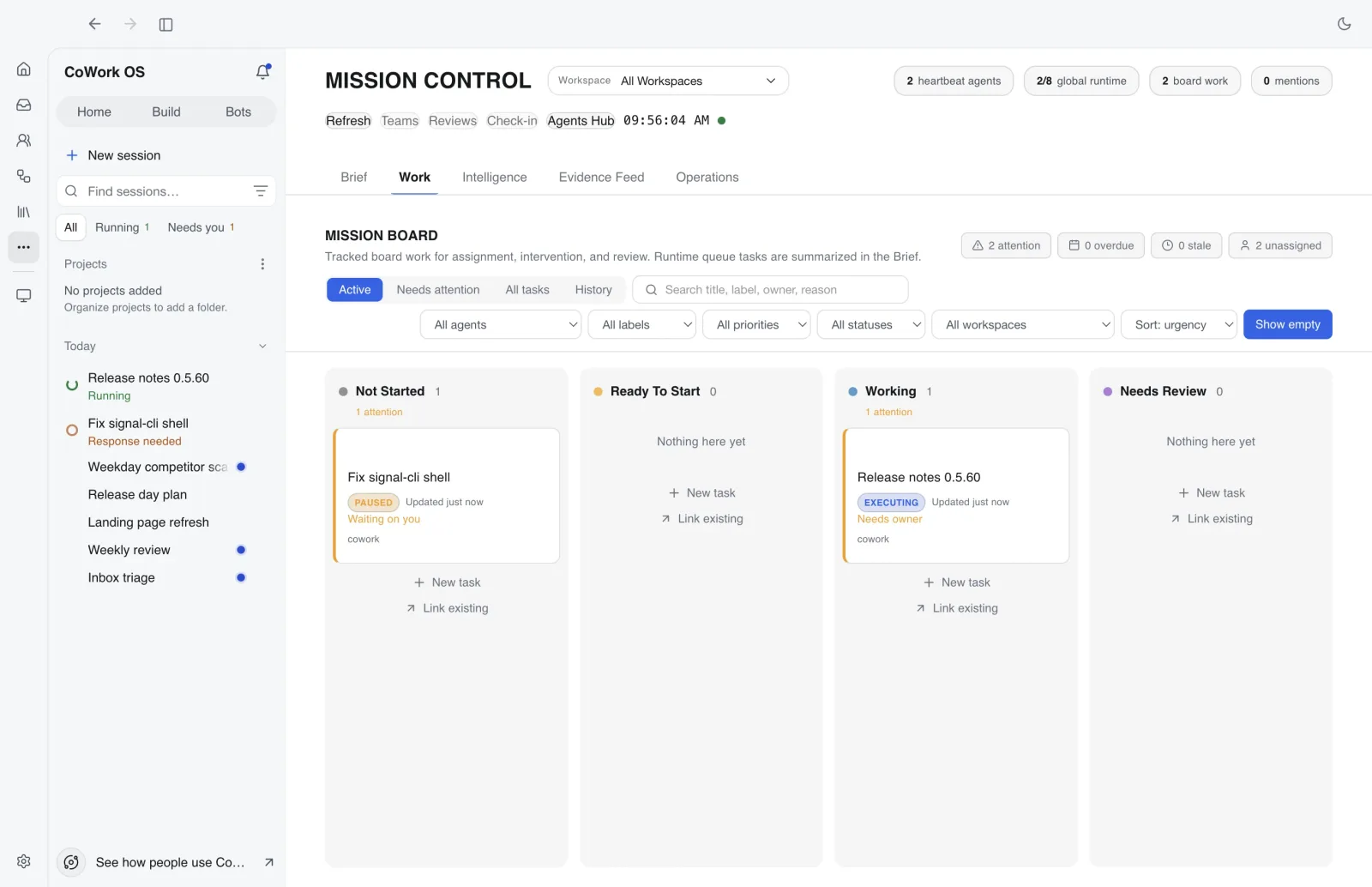
Kanban board, heartbeat monitoring, standup reports, and centralized orchestration.
Read docsOutput Completion UX
High-signal completion toasts, file visibility cues, and artifact parity.
Read docsActive Context Sidebar
Live connectors and enabled skills are always visible with auto-refresh.
Read docsUsage Insights
Cost/token tracking, heatmaps, top skills, and pack-level analytics.
Read docsAI Playbook
Learns what worked from successful runs and feeds patterns into future tasks.
Read docsChatGPT History Import
Import prior conversation history to avoid cold-start context loss.
Read docsSkills, connectors, channels, profiles, and more in the docs.
Explore every featureInside the app
Five places where the work happens
01 · Agents
Agent Runtime & Teams
Task-based execution with dynamic re-planning, multi-agent collaboration, and persistent teams. Watch the real-time timeline as the agent plans, executes, and produces artifacts.
- Four per-task modes: Autonomous, Collaborative, Multi-LLM, Think With Me
- Agent teams with shared checklists and multi-LLM synthesis
- High-signal completion UX with explicit output visibility
02 · Build
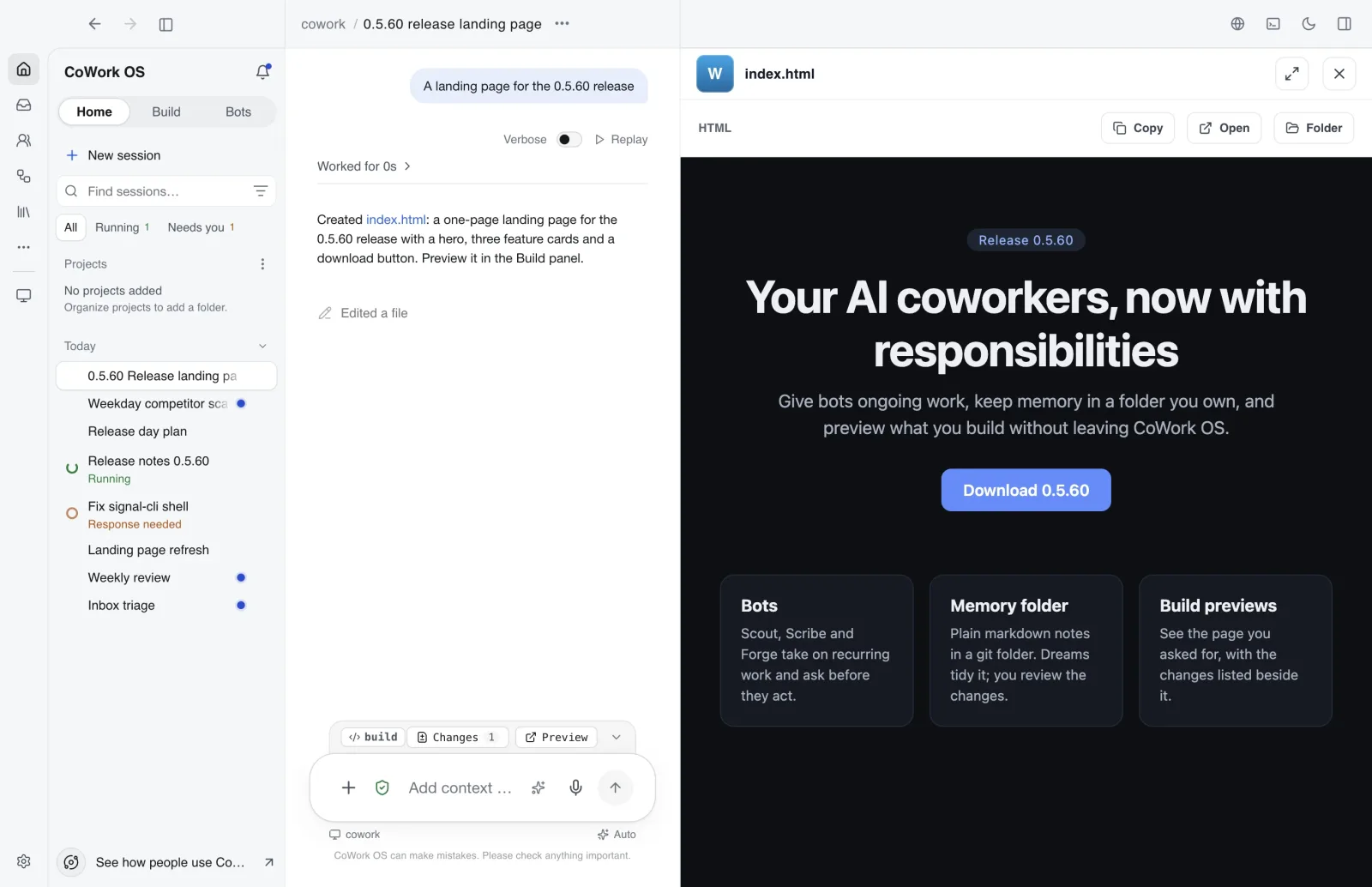
CoWork Build
Build sessions turn an idea into a working page or prototype. Preview it next to the session, and see every changed file one click away.
- Build view with attachments, drafts and recent builds
- Sandboxed live preview with a per-file changes panel
- Phased idea-to-prototype workflow with named checkpoints and revert support
03 · Bots
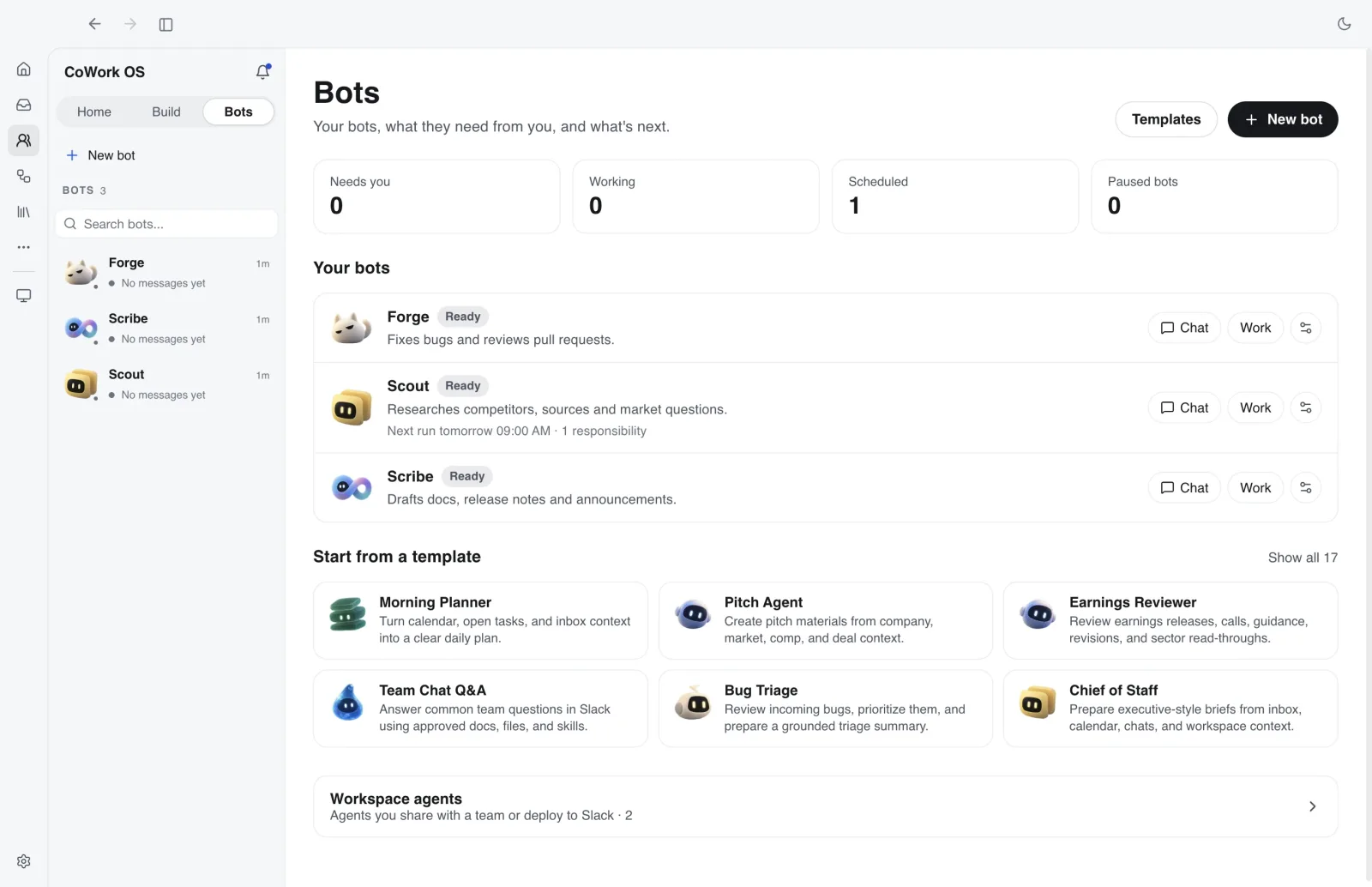
CoWork Bots
The Bots page shows your bots, what they need from you, and what is scheduled. Give a bot a responsibility, and it runs only after you turn it on.
- Modes: Observe, Propose, or Act within granted scope
- Each responsibility has a trigger, sources, a review boundary and a budget
- Responsibilities are saved paused until you turn them on
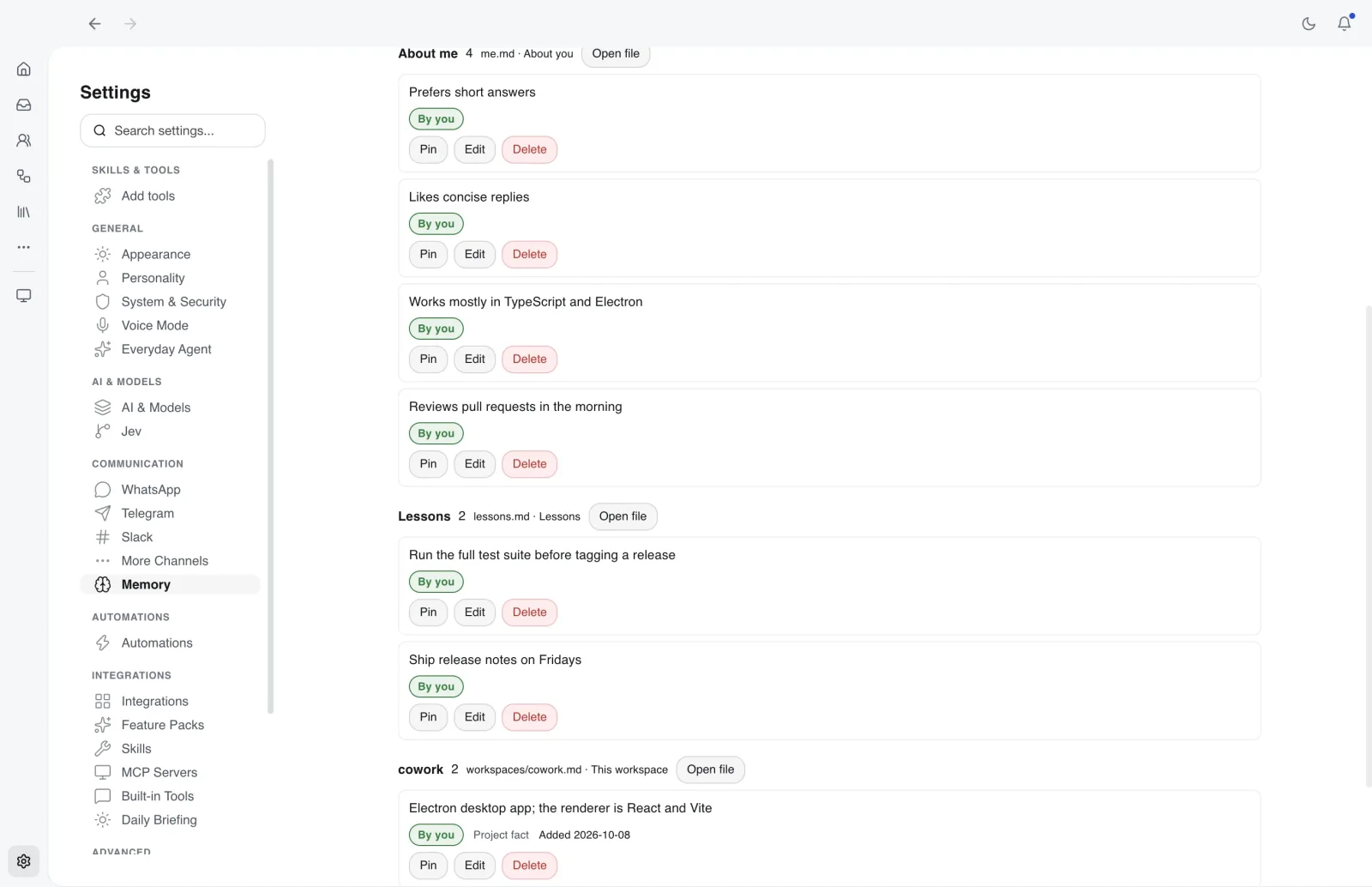
04 · Memory
Memory you can read and edit
CoWork keeps what it learns in a memory folder of plain markdown notes in a local git repo. Every change is a commit you can inspect.
- Notes such as MEMORY.md, me.md and lessons.md, plus one file per workspace
- Edit, pin or delete notes in Settings, or edit them in any editor
- Dreaming tidies duplicates and stale notes, and changes to your notes wait for review
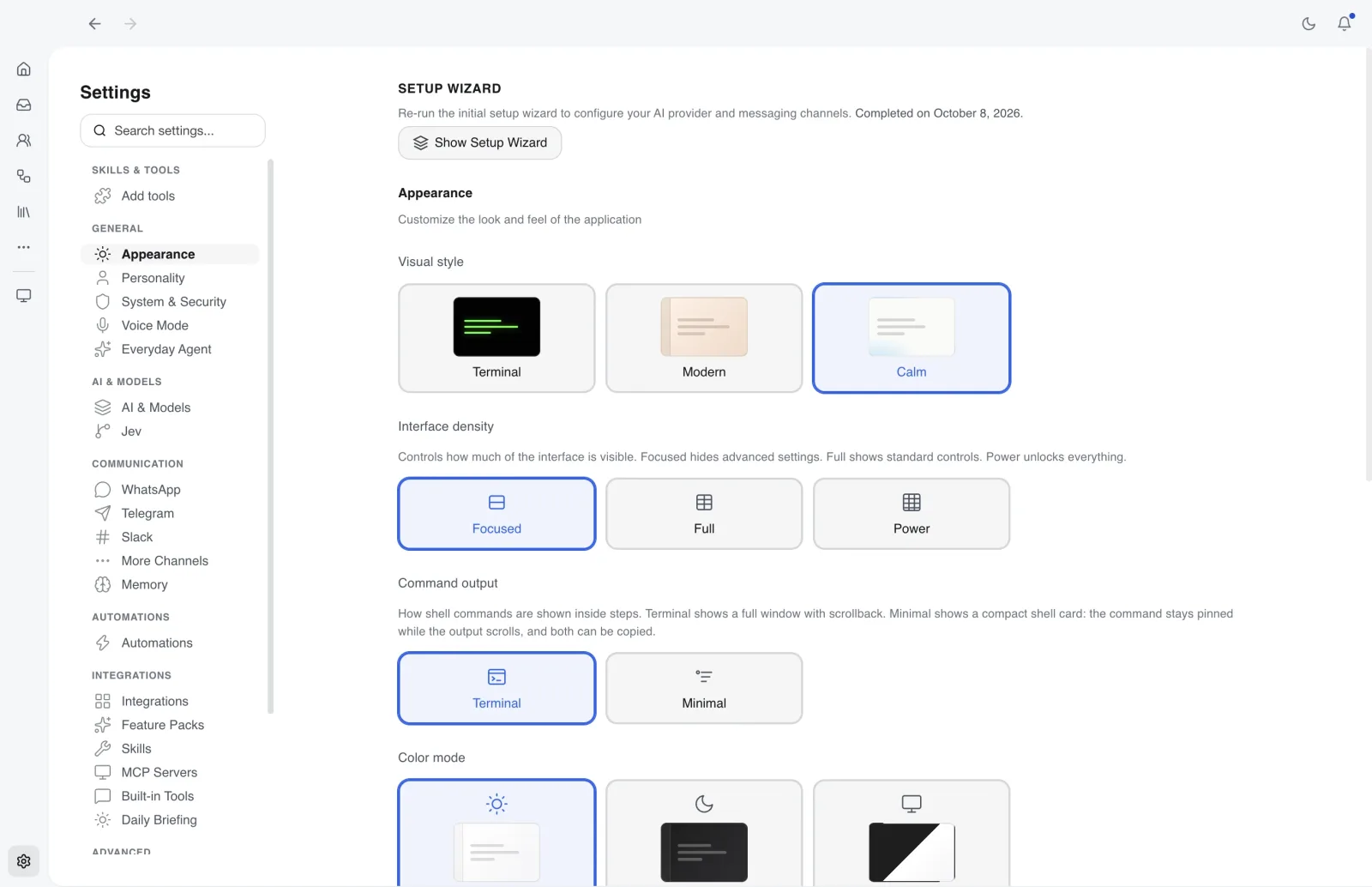
05 · Interface
Calm interface
An optional Calm visual style, in light or dark, with an icon-rail sidebar and a session panel. Notifications show what needs you first.
- Icon rail for Home, Inbox, Bots and Automations, with Library in Calm
- Search sessions with Cmd/Ctrl+K and filter to Running or Needs you
- Mission Control, Devices, Everyday, Build and Add tools under More, pinnable to the rail
Integrations
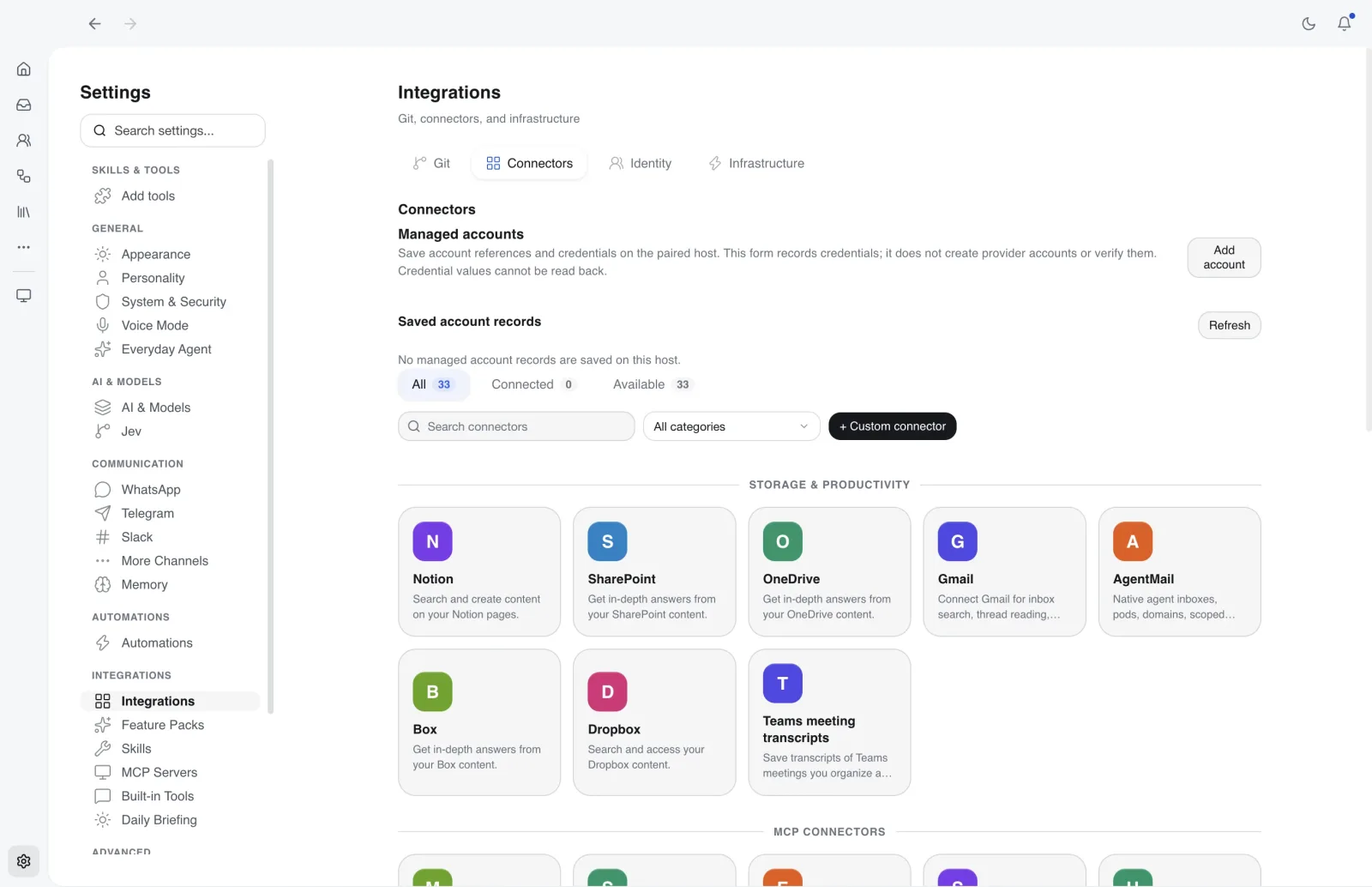
Works with your existing stack
Connect CoWork OS to your messaging channels, providers, and infra surfaces without rebuilding your workflow.
Channels
Channel support docsModels
Provider docsInfrastructure
Full features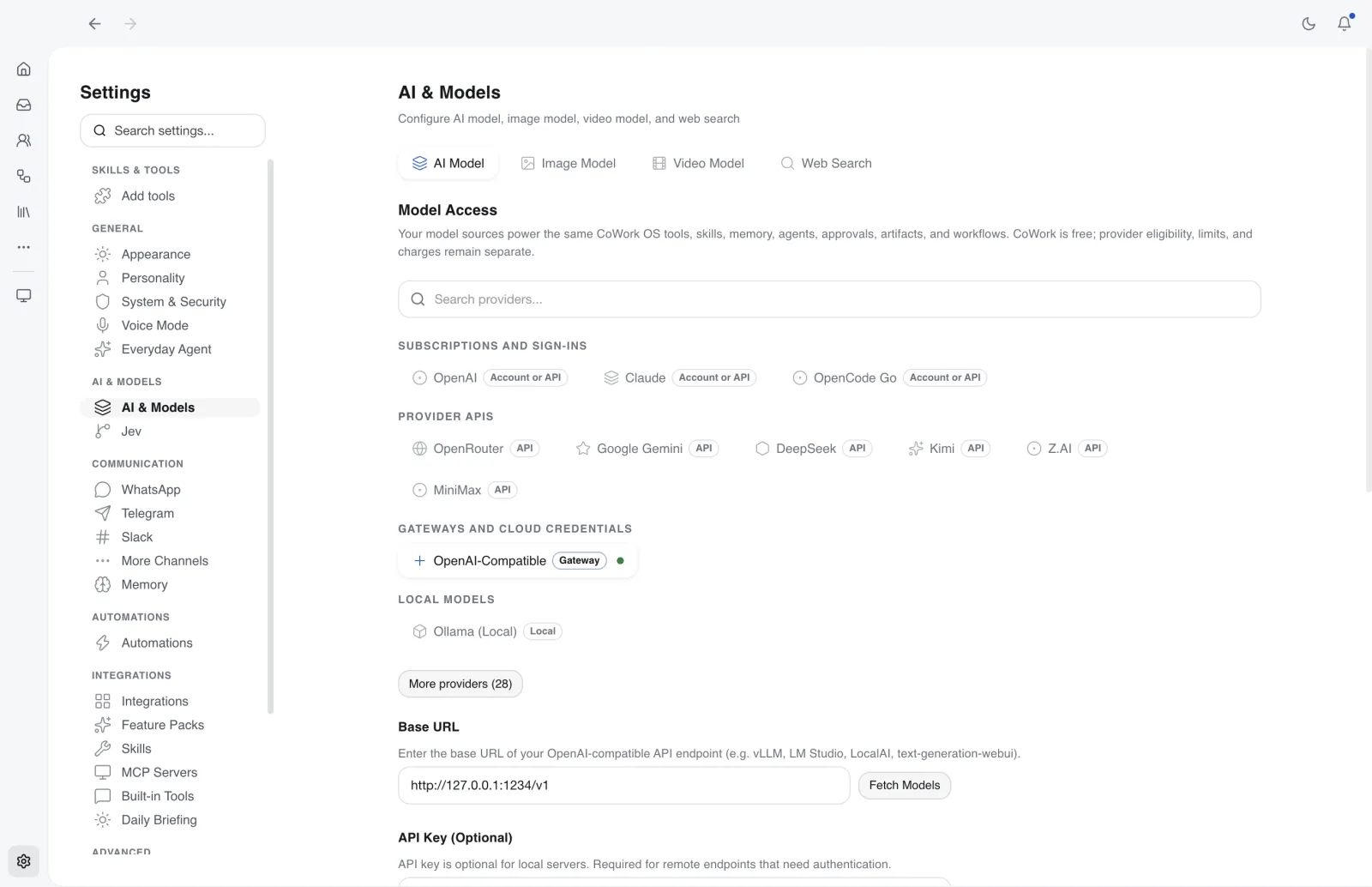
Security
Security-first architecture
Top security score on ZeroLeaks with approvals, guardrails, sandbox isolation, and encrypted local storage. Includes 3200+ tests with 132+ security unit tests and 259+ WebSocket protocol tests.
- tests
- 3200+
- tests
- security unit tests
- 132+
- security unit tests
- WebSocket protocol tests
- 259+
- WebSocket protocol tests
Approval Workflows
Explicit consent required for destructive operations and spending actions.
Sandbox Isolation
macOS sandbox-exec, Docker isolation, or process-level sandboxing.
Local-First + BYOK
Operational state is local by default. Cloud routes receive requests and credentials only as required by the configured service.
Public adoption signals
Public GitHub and npm signals, not app telemetry
These are public adoption signals from GitHub and npm. They are not active-user or in-app telemetry numbers.
Unavailable
GitHub stars
Public repository stars.
Unavailable
GitHub forks
Public repository forks.
Unavailable
Latest release
Published Unavailable.
Unavailable
Installer/server downloads
Unavailable.
Unavailable
Last week
npm downloads
No prompts, files, emails, or installed-app events are collected.
Built in the open. Ready to inspect.
Repo-backed metrics, docs, releases, and install paths you can verify yourself.
Dozens of model routes
Supported accounts, APIs, gateways, cloud credentials, local models, and orchestration.
Providers docsMulti-channel gateway
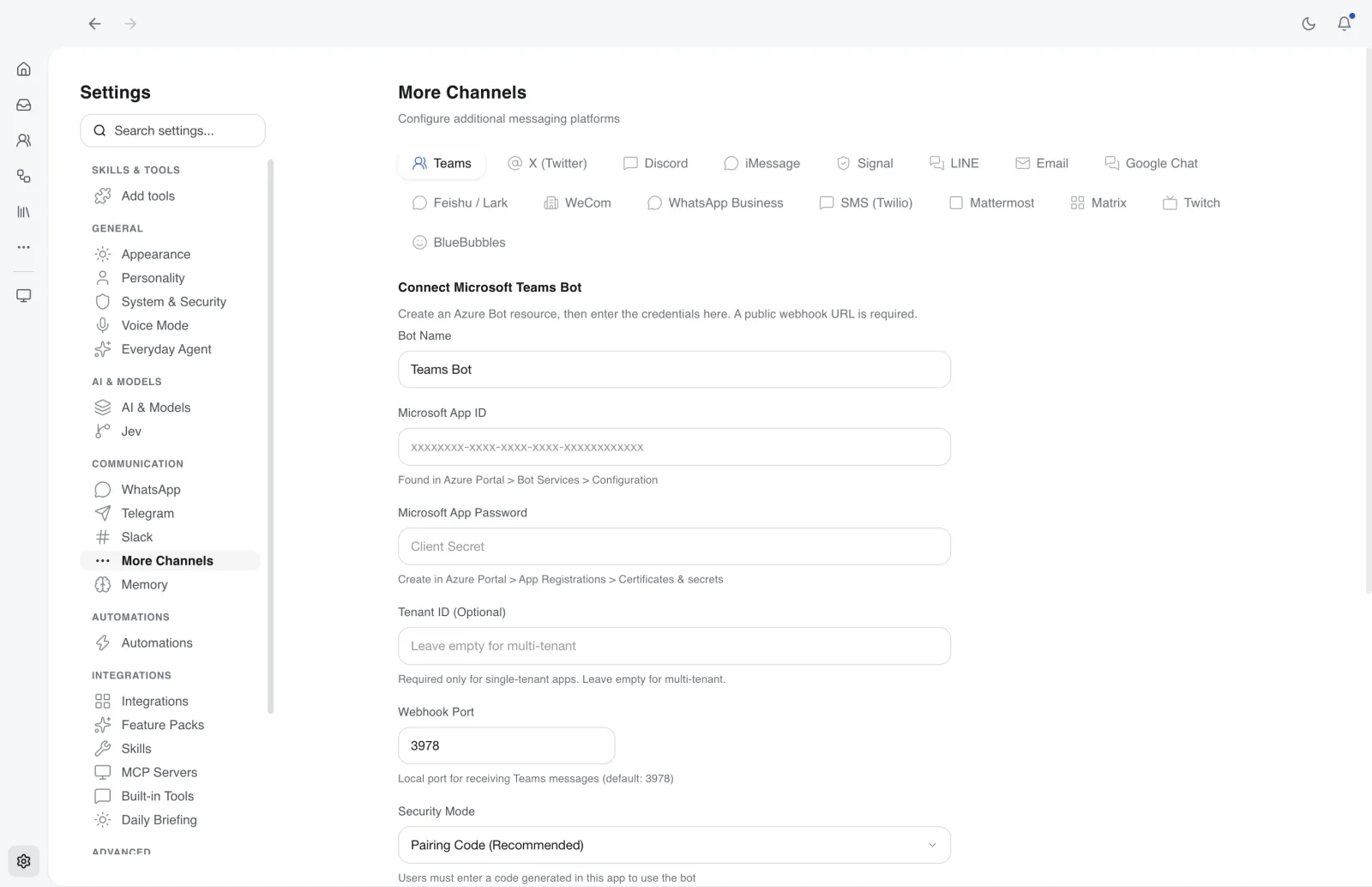
WhatsApp, Telegram, Discord, Slack, Teams, Signal, iMessage, X, and more.
Channels docsBundled skills
Reusable workflows for code, documents, automation, infrastructure, finance, and operations.
Features docsReliability checks
Automated security, runtime, provider, and interface regression coverage.
Security guideSource of truth: public docs, GitHub releases, and the open repository. View source
Download
Choose how to get started with CoWork OS
Download the desktop app, install from your terminal, or connect with the open-source repo when you want full control of the runtime.
Download the app
Desktop installers for local-first work.
Download the macOS DMGOr install from the terminal
curl -fsSL https://raw.githubusercontent.com/CoWork-OS/CoWork-OS/main/scripts/install-macos.sh | bashmacOS, Apple Silicon: installs the same release from the terminal with no Gatekeeper dialog. How it works
The macOS DMG needs Privacy & Security → Open Anyway on first launch; the terminal command above avoids it.
Deployment
Deployment modes
Choose the runtime form that matches your environment and operational requirements.
Compare
Comparison resources
If you are already evaluating adjacent agent tools, these down-funnel resources explain where CoWork OS fits.
| Positioning Lens | OpenClaw |  CoWork OS CoWork OS |
|---|---|---|
| Category | Open personal-agent and channel runtime | Open AI super app and desktop control plane |
| Primary use case | Configure and operate an agent hub | Work directly, delegate, review, and automate |
| Security posture | Varies by workflow and setup | Built-in approvals, guardrails, sandbox isolation, encrypted local storage |
| Runtime surfaces | Operator and messaging surfaces | Desktop app + CLI + headless daemon + messaging gateway |
| Data ownership | Self-hosting and configured model providers | Local operational state plus supported account, API, gateway, cloud, and local routes |
Go deeper
Deeper evaluation paths
Product guides, use cases, and comparison pages for readers who have moved beyond the homepage.
OpenClaw alternative
Production-focused comparison and migration framing.
Claude Cowork alternative
Free, open-source local alternative to hosted AI coworking tools.
Personal AI assistant
Execution-first assistant model for real operational workflows.
Agent operating system
Runtime, control, and context layers for team operations.
Agentic systems
Deployment patterns for controlled, production agent execution.
Use cases
Showcase pages, including a novel built end to end with the Novelist skill.
Is CoWork OS free?
- The app is free and open source. Cloud providers may charge for model usage or require an eligible subscription. You can also connect a local model.
How do I start?
- Download the app, connect and test a model, then create a small task in your starter workspace. The getting-started guide walks through each step.
Install CoWork OS today
Free, open-source, and ready to run on your machine. Download the app, install via npm, or build from source.